Join the Google Group
Join testflock@googlegroups.com with the same Google account you use in Google Play Console.
Set up closed testing in Play Console before listing your app on TestFlock.
Join testflock@googlegroups.com with the same Google account you use in Google Play Console.
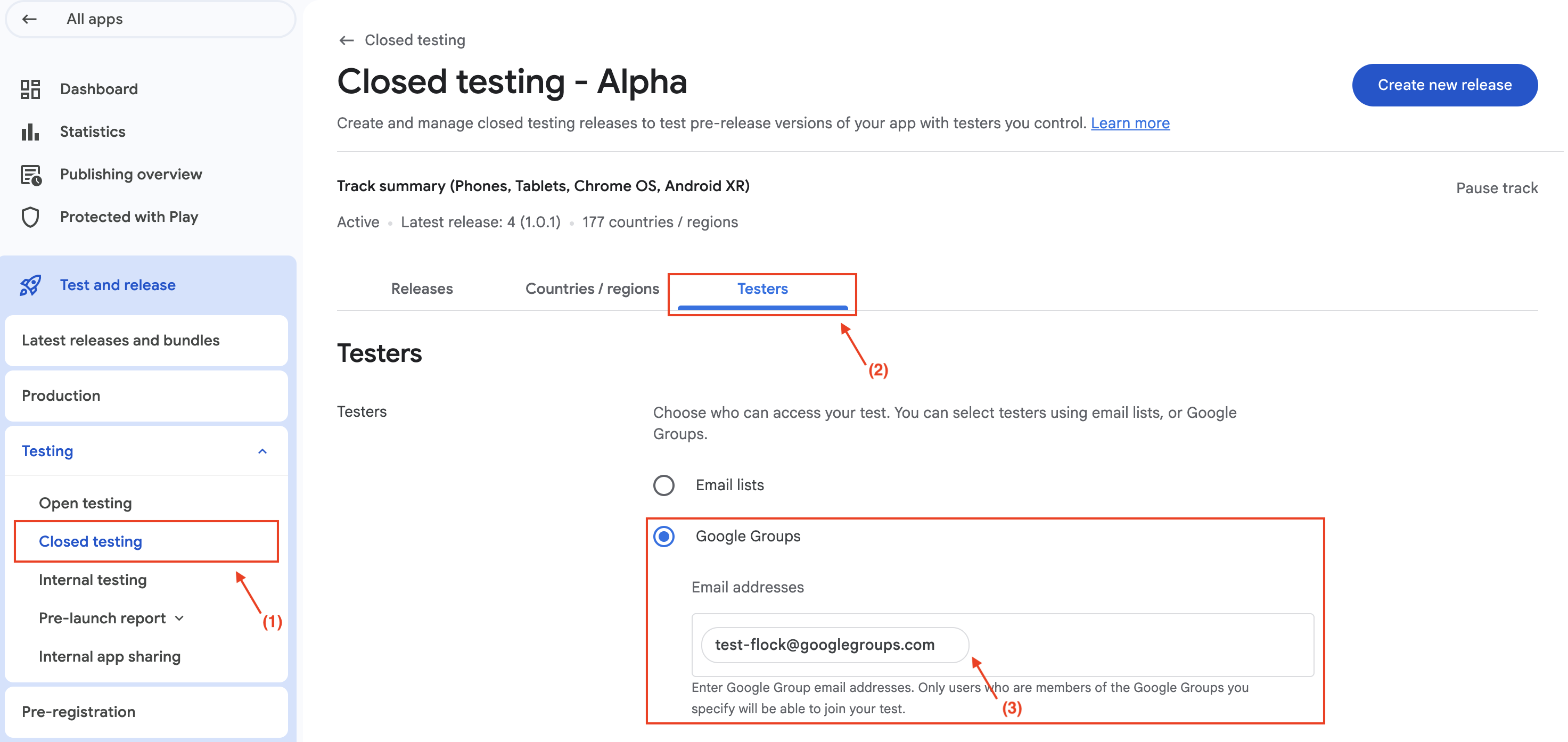
In Google Play Console, go to your app → Testing → Closed testing. Under Testers, add the group email testflock@googlegroups.com.
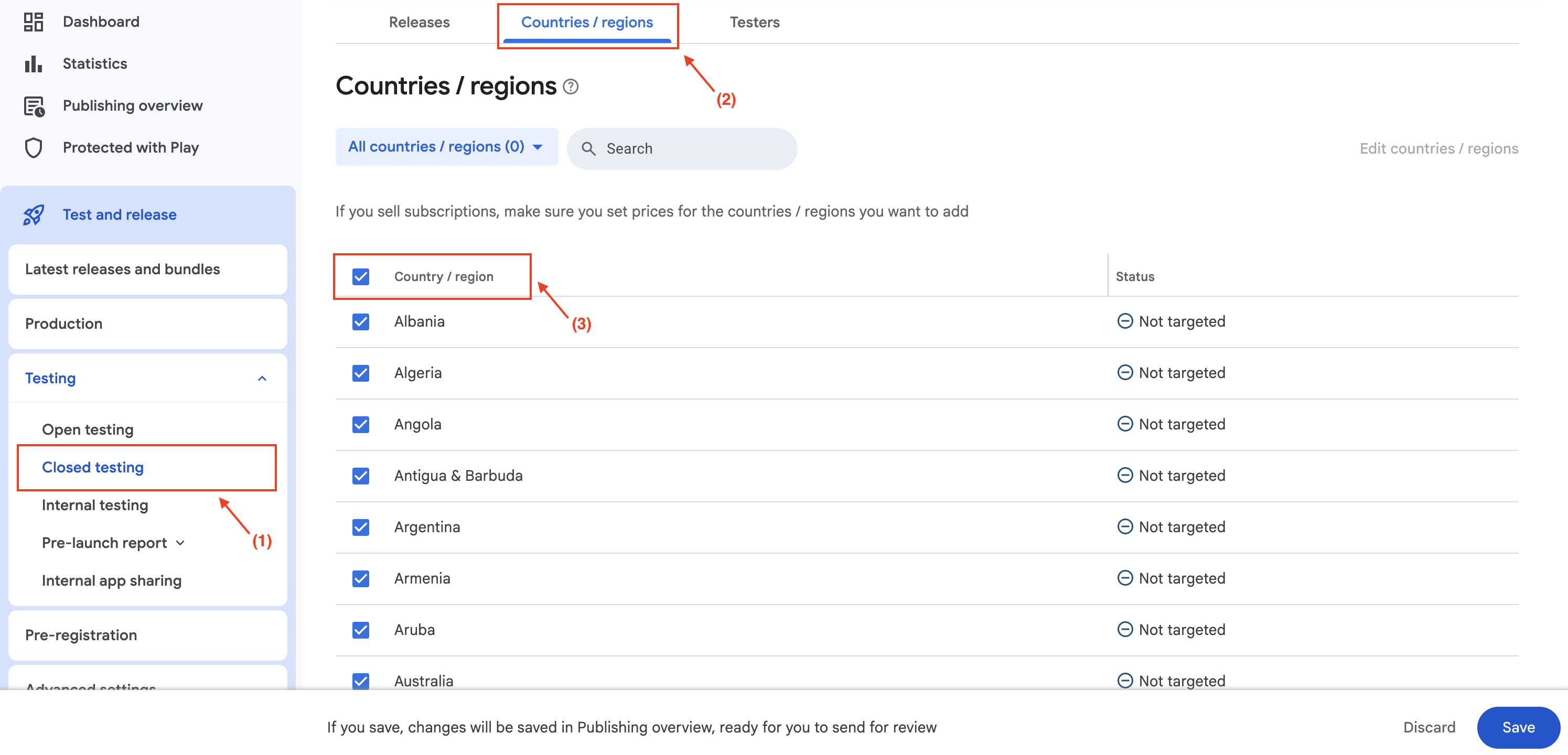
On the same closed testing track, enable all countries and regions so testers worldwide can opt in.
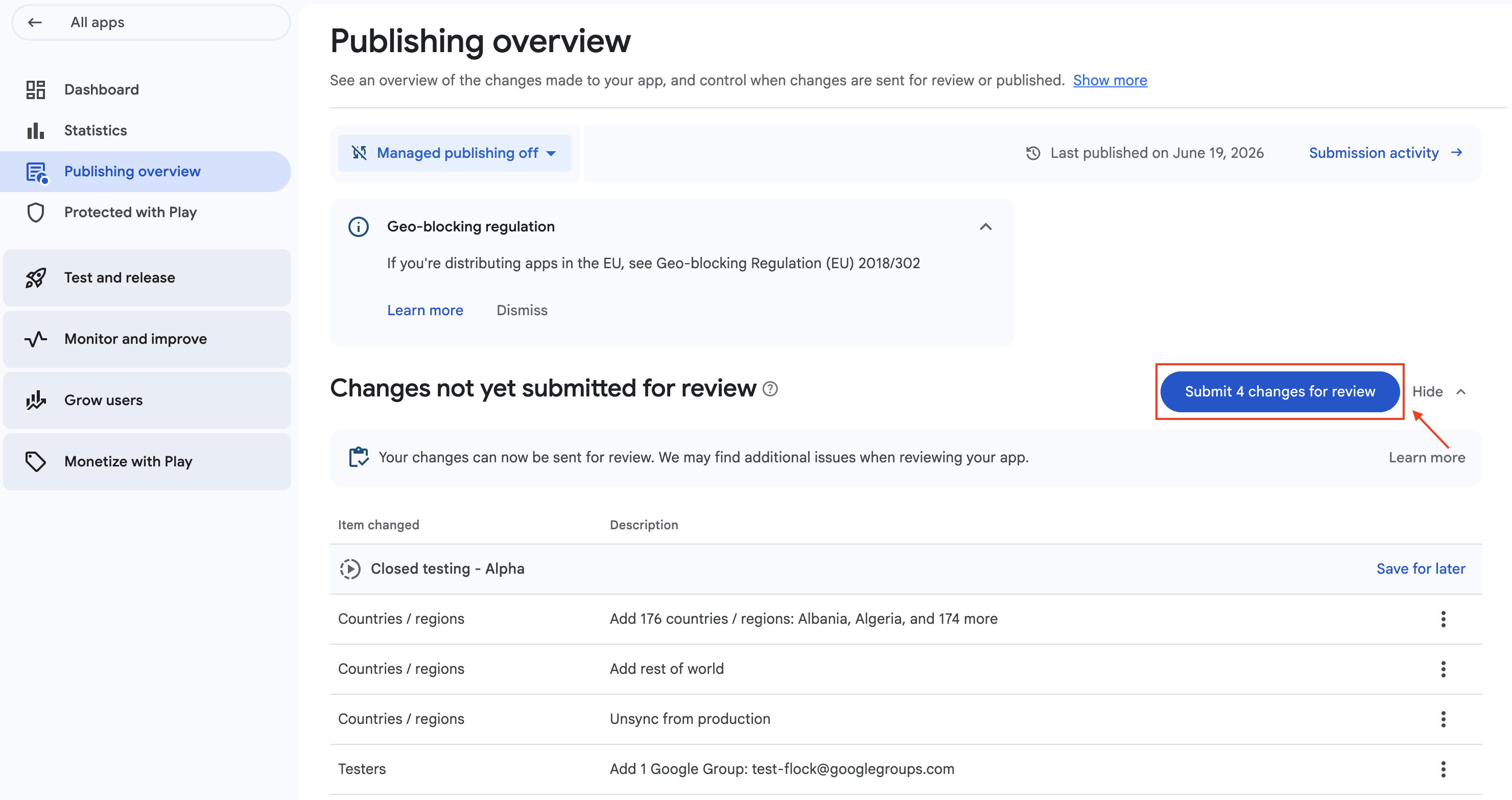
Save your changes and send them for Google review. Wait until the closed testing track is accepted before sharing your opt-in link.
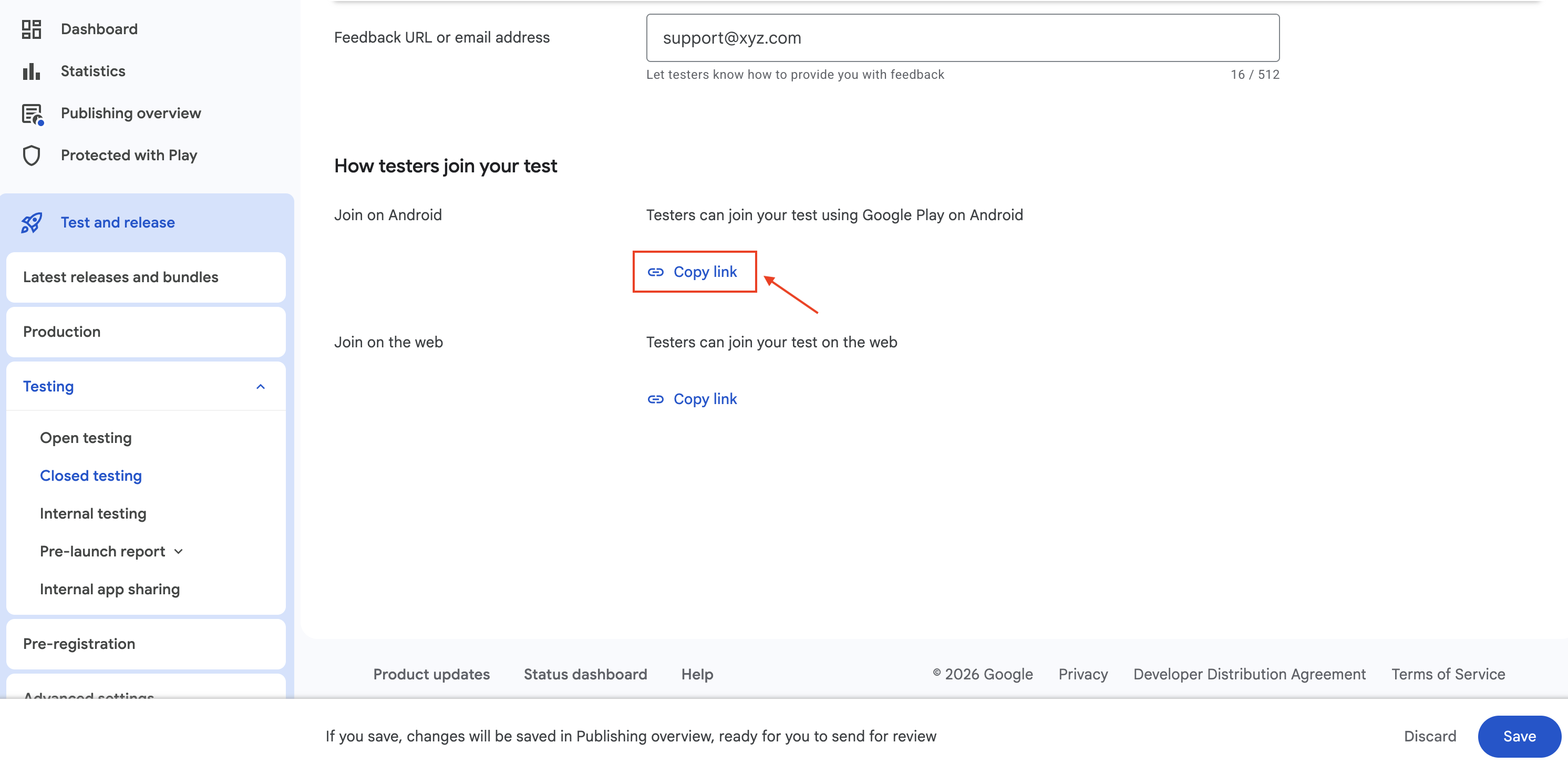
Copy your Android closed testing opt-in link (format: https://play.google.com/apps/testing/<package>) and paste it when you list your app in TestFlock.